
Generate images
Create images from a prompt on Halo: pick an image model, write a prompt, pay per image in USDC. Peer-to-peer, end-to-end encrypted, stored nowhere.
Halo generates images the same way it answers prompts: peer-to-peer. You describe the image, an operator’s model renders it, and the result streams back to you end-to-end encrypted — priced per image, from the same USDC balance you already use for chat. No separate product, no image library sitting in someone’s cloud.
Halo is in alpha on Base mainnet with real USDC.
What you need
- A funded Halo balance — the same setup as chat. If you haven’t done that yet, start with use Halo on the web and fund your account.
- Nothing else. If you can prompt on Halo, you can generate images.
Step by step
- Open the app. Go to app.runhalo.xyz and connect as usual.
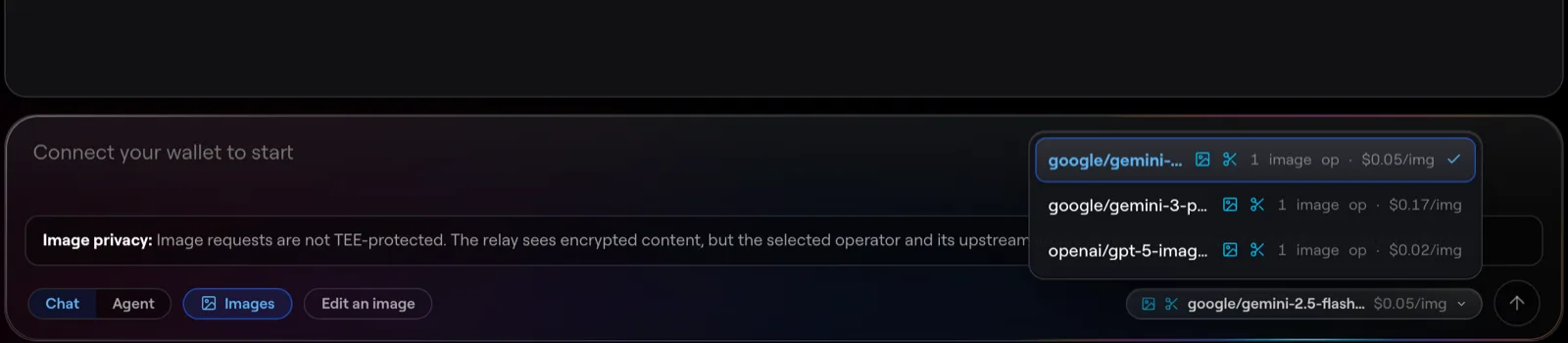
- Pick an image model. In the model picker, choose a model that lists image generation. Its price per image is shown up front — flat, not token-metered.
- Write your prompt. Describe the image you want, as specifically as you can: subject, style, mood, composition. Ask for more than one variation if the model supports it — you pay per image delivered.
- Send. The request is encrypted and routed to an operator serving that model. The finished image streams back encrypted and is decrypted in your browser.
- Save what you want to keep. The image exists on your device and nowhere else — download it or it’s gone when you clear the session. There is no server-side gallery, by design.

What it costs
A flat per-image price in USDC, set by the operator and shown before you send. You’re charged only for images actually delivered — if a request fails or you abort it, nothing is settled. Settlement comes out of your existing Halo balance with gas sponsored, like every other request.
Where your image lives (and doesn’t)
- No hop stores it. The relay passes encrypted bytes through memory; no bucket, CDN, database, or signed URL ever holds your image.
- The relay can’t see it. Your prompt and the result are end-to-end encrypted between you and the operator. The relay routes ciphertext.
- The file arrives clean. Metadata that model providers embed in output (prompts, generator tags) is stripped by the operator before encryption — what you receive is pixels.
Generate from code or an agent
Run halo consume and you get a local OpenAI-compatible endpoint:
POST /v1/images/generations with model, prompt, and optional n.
Anything that speaks the OpenAI images API — scripts, agents, existing tools —
can point at it unchanged. Details in
consume from a local endpoint.
Next steps
- Change an existing picture instead: edit images.
- How the privacy model works end to end: privacy & confidential compute.
- The full release story: image generation on Halo.